Prove every room is ready, before the date arrives
Data centre builds are handed over hall by hall and room by room, often to a fixed date. Kelmora keeps the snags, checks, equipment and sign-offs for each room together, so readiness is a fact, not an opinion.
What gets in the way
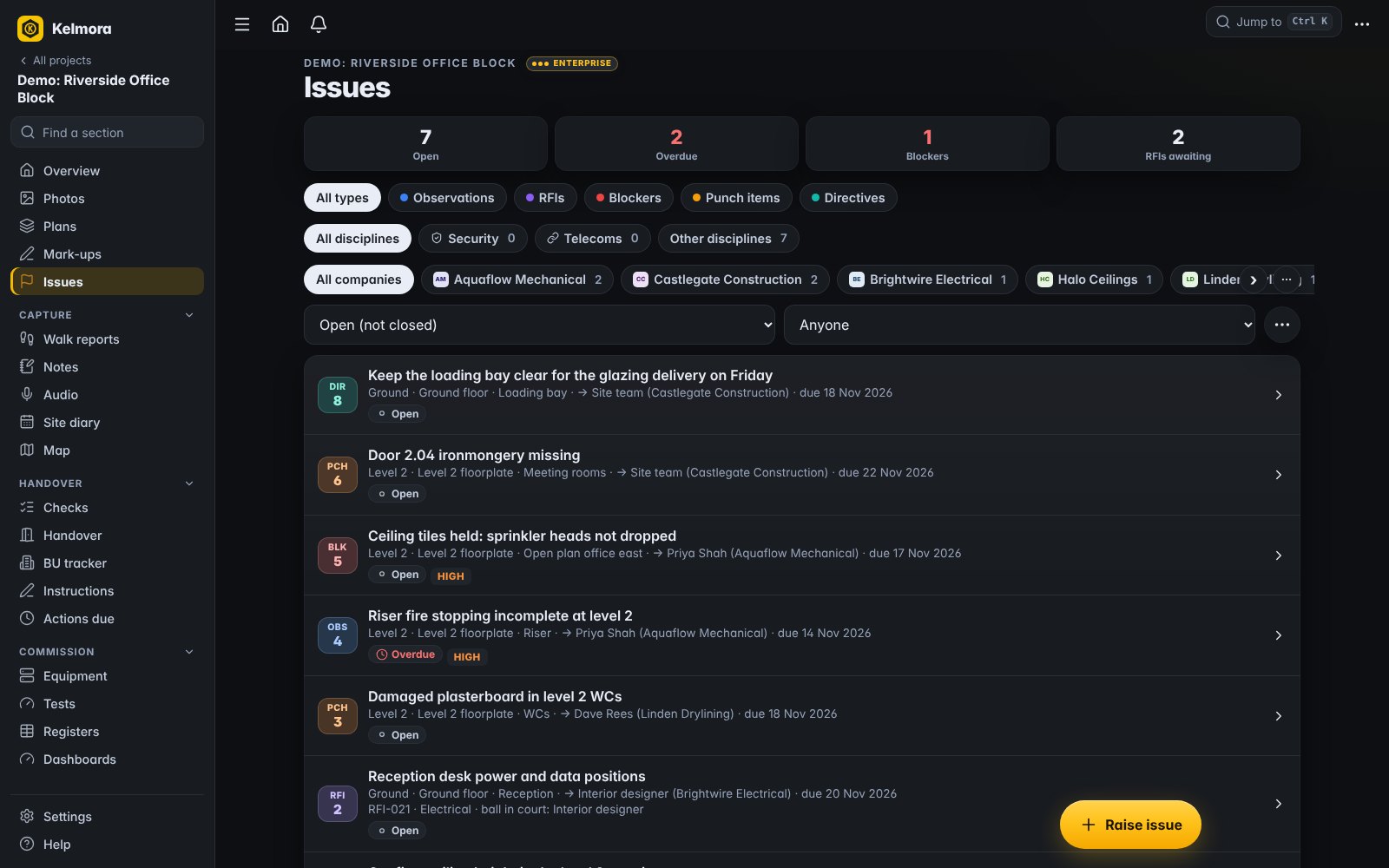
Readiness is hard to see
Works, snags, commissioning and documents live in different trackers, so nobody can say for sure which rooms are ready.
Many contractors, one date
Electrical, mechanical, fire, security and fibre all close out at once, against the same Beneficial Use date.
Evidence for the client
The client wants proof per room, not a spreadsheet that says complete.
Built for the way you work
Room by room readiness
A readiness score per room from works, snags, equipment and handover items.
- Beneficial Use tracker by phase
- ReadyCheck readiness and blockers
- Client sign-off by link with signature
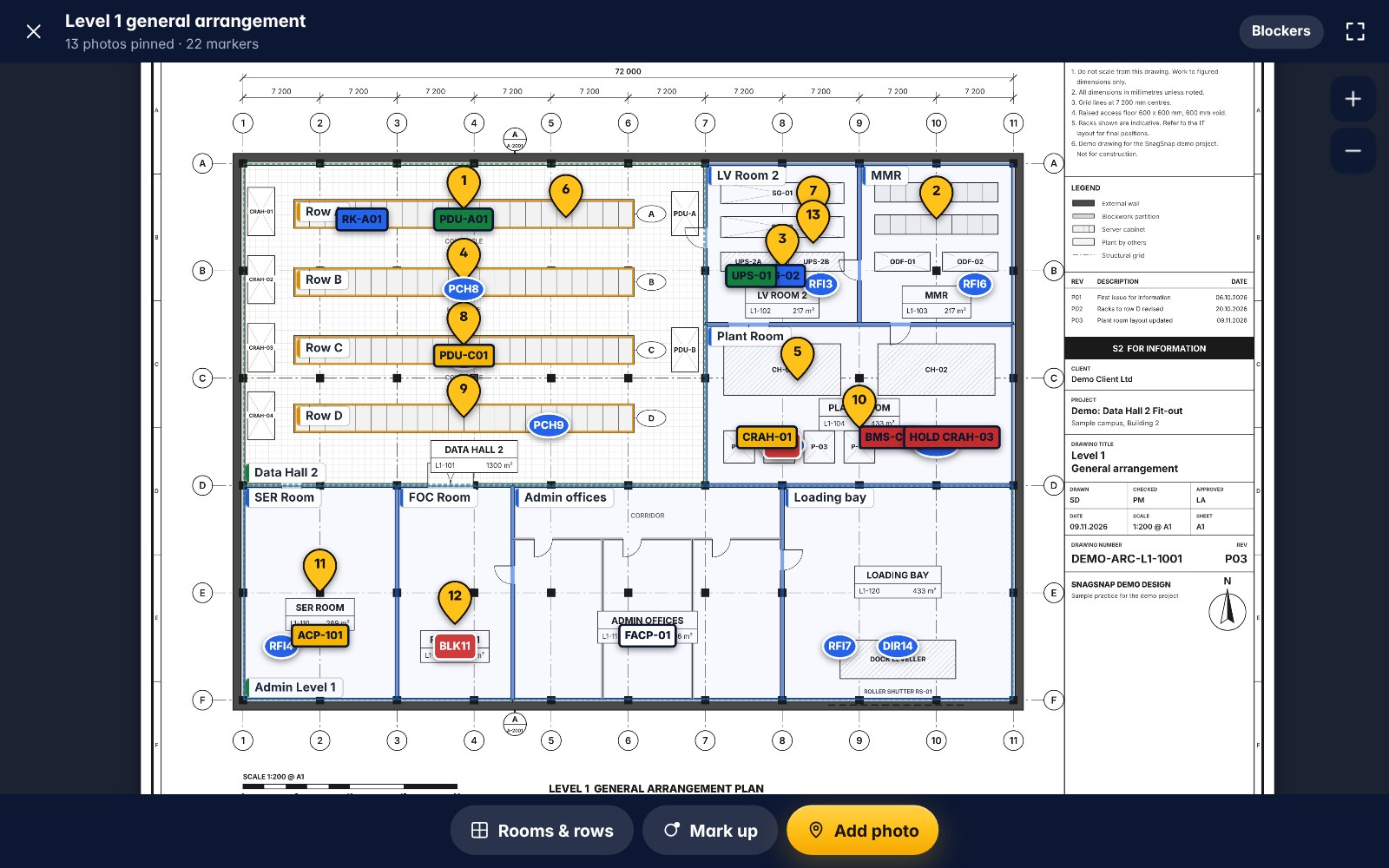
Snag the halls fast
Walk a hall row by row and raise snags with photos against the rack, tray or unit.
- Offline site walks
- Pins on hall layouts
- Reply links for each contractor
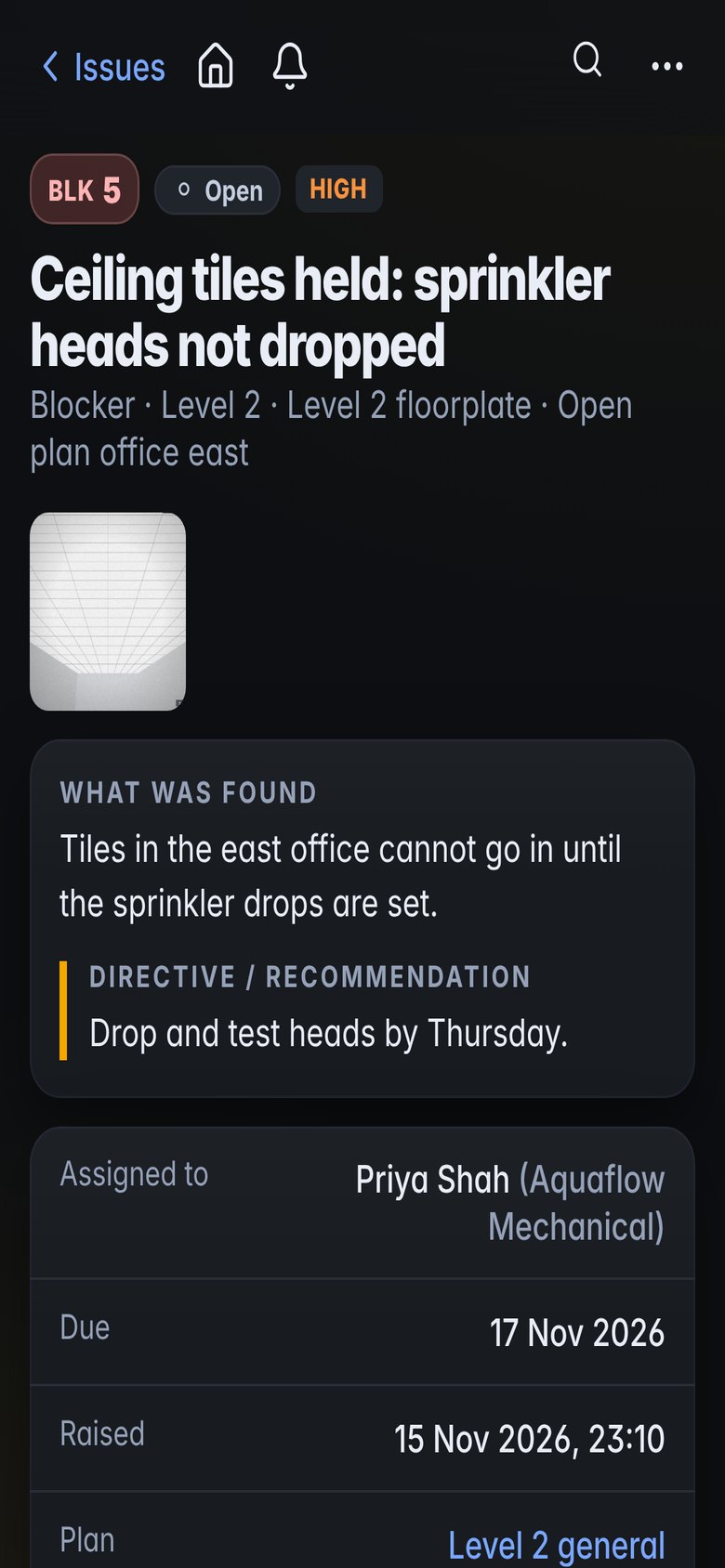
Equipment and commissioning
Every asset with its tag, test stage, photos and documents.
- Commissioning tags and colour stages
- Registers and test sheets
- First-of-kind sign-offs
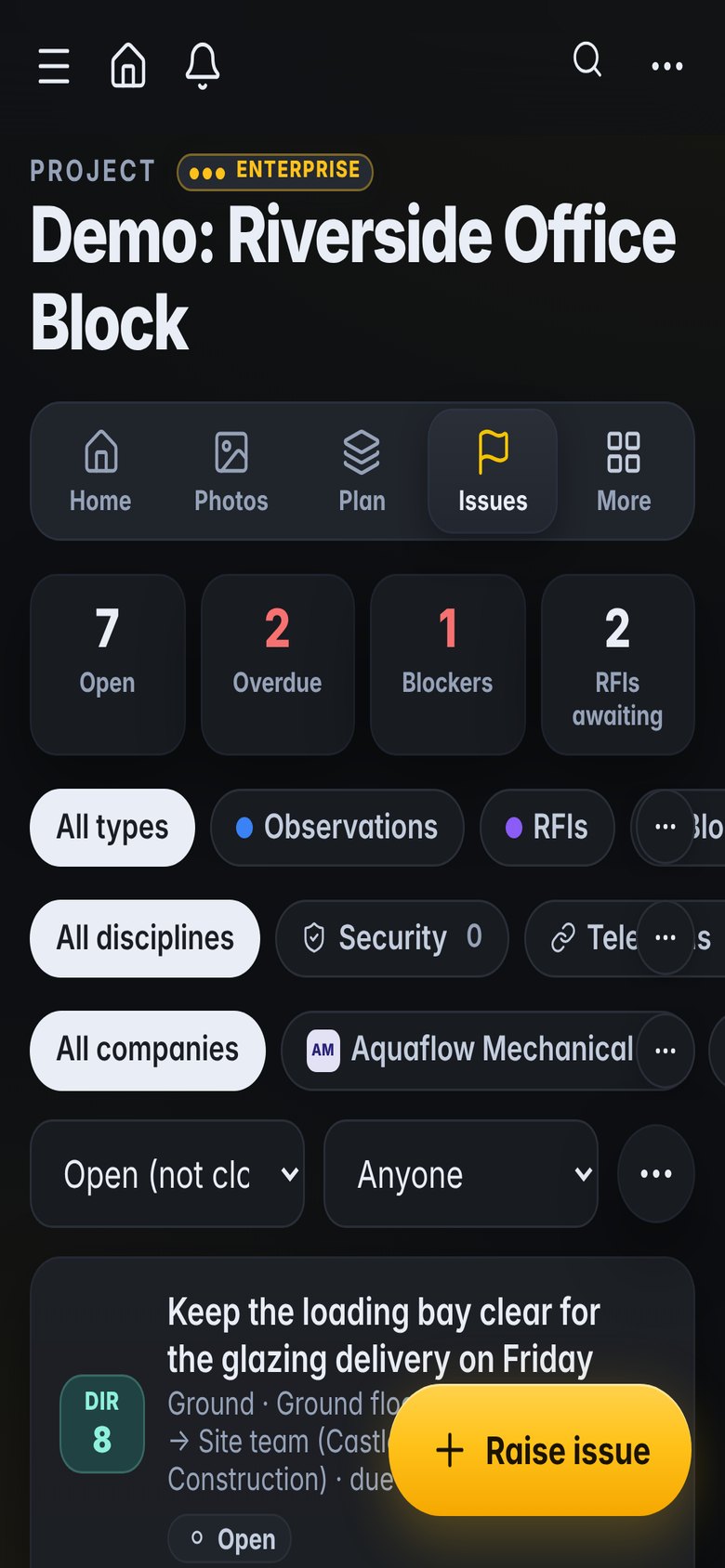
See the risk early
Warnings when a room or contractor is heading for a missed date.
- RiskRadar by area and contractor
- Programme updates with evidence
- Daily log of who is on site
What teams use it for
How it fits the job
Morning briefing from open actions and permits
Walk the rooms due for handover
Chase blockers by contractor
Client walks and signs off the ready rooms
What you would use
Start on Standard and add Professional or Enterprise modules when you need them. See the plans
Frequently asked
Can it handle hundreds of rooms?
Yes. Areas, rooms and levels are set up once, then every record links to them and every report can be filtered by them.
Can the client sign off a room without an account?
Yes. Send a sign-off link; they see the room's readiness and sign on their phone.
Does it replace our commissioning software?
It holds the evidence and stages for each asset. If you already have a commissioning system, use Kelmora for the site side and the readiness picture.
Can it run across several buildings?
Yes. Projects can hold several buildings, and Portfolio shows trends across projects.
Also built for
Try it on the demo project, then on your own site
The demo project has photos, snags, plans and a 3D model ready to explore.